Setting up the Wi-Fi
- From the Home screen, press C. The System Setup screen appears.
-
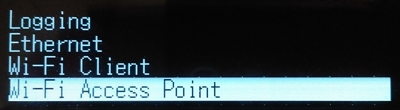
Press the down arrow key until Wi-Fi Access Point is highlighted:
- Press C.
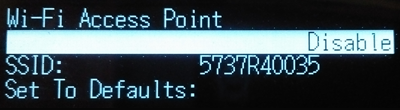
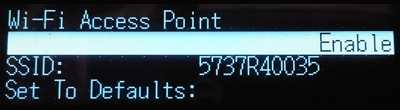
- Press C again to activate the Disable/Enable setting.
- If the Wi-Fi Access Point is disabled, press the down key to change to Enable.
- Press C to save.
- Press Esc twice to return to the Home screen.
- Open a mobile phone and navigate to the System Settings and Wi-Fi setup.
- Select the serial number of the current receiver (for example, AP 5737R0035) and click to connect. The encryption is WPA2 (usually automatic). The encryption type is AES (usually automatic). Type in the password abcdeabcde.
- Tap OK. The mobile phone should be now connected to the Alloy receiver with a warning that there is “no Internet access”.
- Open a web browser on the moible phone. In the address bar, enter 192.168.142.1.
The Alloy web interface is now open on the phone.
Next step: Setting up the Ethernet.