Setting up the Ethernet using the front panel
- From the Home screen, press C. The System Setup screen appears.
-
Press the down arrow key until Ethernet is highlighted:
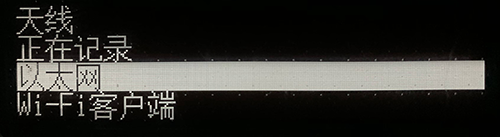
- Press C.
-
At DHCP, press C. The DHCP setting is selected. If required, disable/enable DHCP:
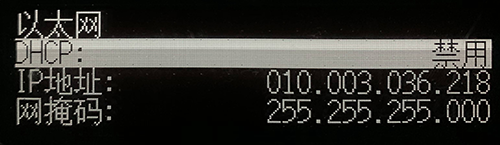
- If DHCP is disabled, using the arrow keys move to the IP Address field. Press C. Enter your IP address (for example, 10.3.36.218).
- Using the arrow keys, move down to the Netmask field. Press C. Enter the required netmask.
-
Using the arrow keys, move down to the Gateway field. Press C:
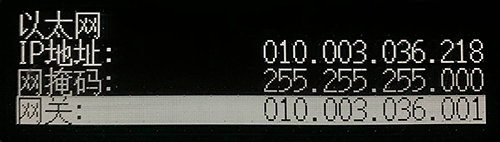
- Enter the required gateway address. When finished, press C once, then press Esc to return to the System Setup screen.
- Restart the receiver for the changes to take effect.
- Open a web browser on a computer connected to the LAN. In the address bar, enter your IP address (for example, 10.3.36.218). The Alloy web interface appears.