Routing and connecting the antenna cable
Applicable receivers: BD9250 | BD940 | BD940-INS | BD970 | BD982 | BD990 | BD992 | BD992-INS | BX940 | BX982 | BX992
-
After mounting the antenna, route the antenna cable from the GPS antenna to the receiver.
Avoid the following hazards when routing the antenna cable:
-
Sharp ends or kinks in the cable
-
Hot surfaces (such as exhaust manifolds or stacks)
-
Rotating or reciprocating equipment
-
Sharp or abrasive surfaces
-
Door and window jams
-
Corrosive fluids or gases
-
-
After routing the cable, connect it to the receiver. Use tie-wraps to secure the cable at several points along the route. For example, to provide strain relief for the antenna cable connection, use a tie-wrap to secure the cable near the base of the antenna.
NOTE – When securing the cable, start at the antenna and work towards the receiver.
-
When the cable is secured, coil any slack. Secure the coil with a tie-wrap and tuck it in a safe place.
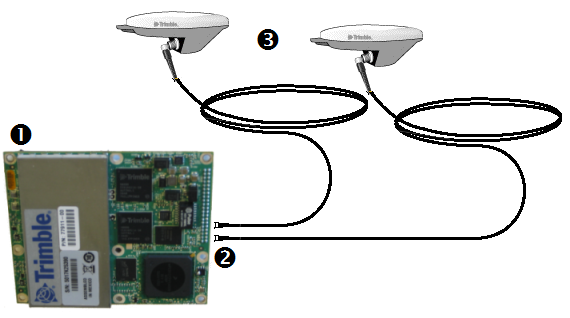
Dual-antenna receiver
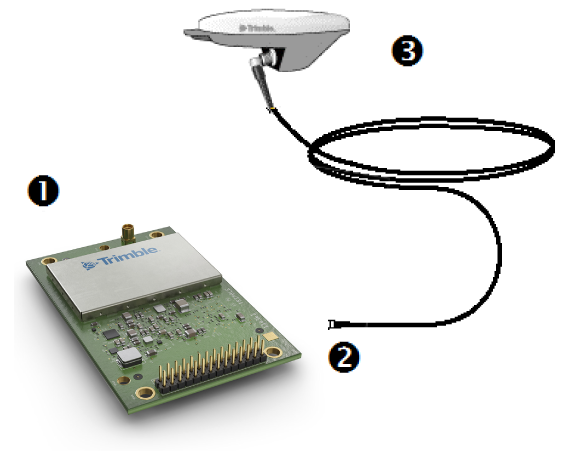
Single-antenna receiver
|
1 GNSS receiver |
2 MMCX connectors |
3 GNSS antenna |
NOTE – The MMCX connector at the end of antenna cable needs a CBL ASSY TNC-MMCX connector to interface with the receiver module.
